
Search for products...

You can use the coupon on Metabee's checkout page after selecting your shipping method:
1. Get Your Coupon
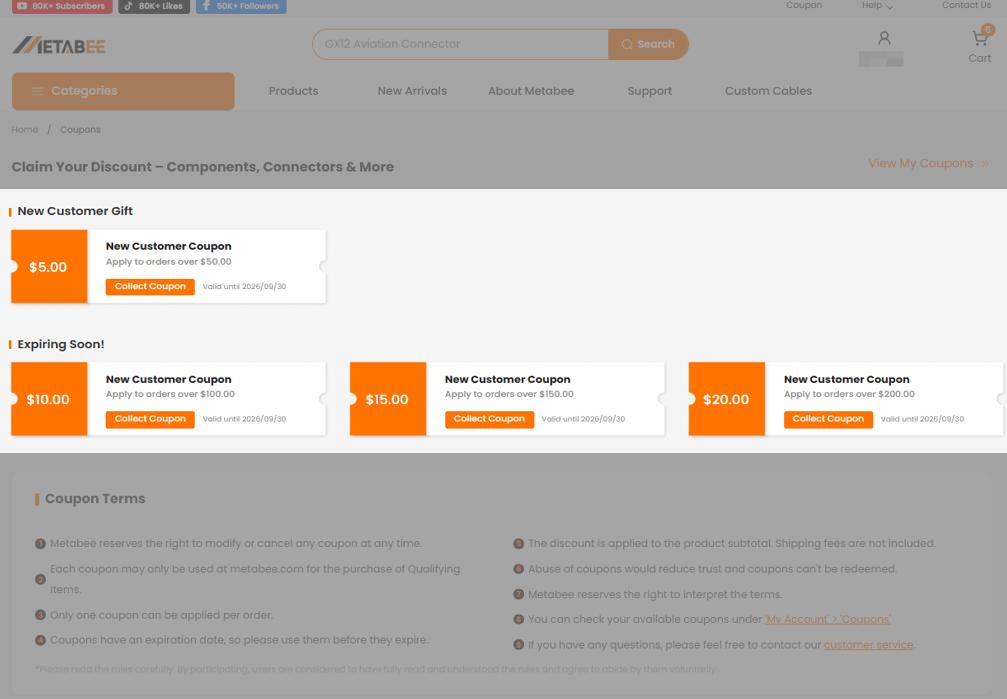
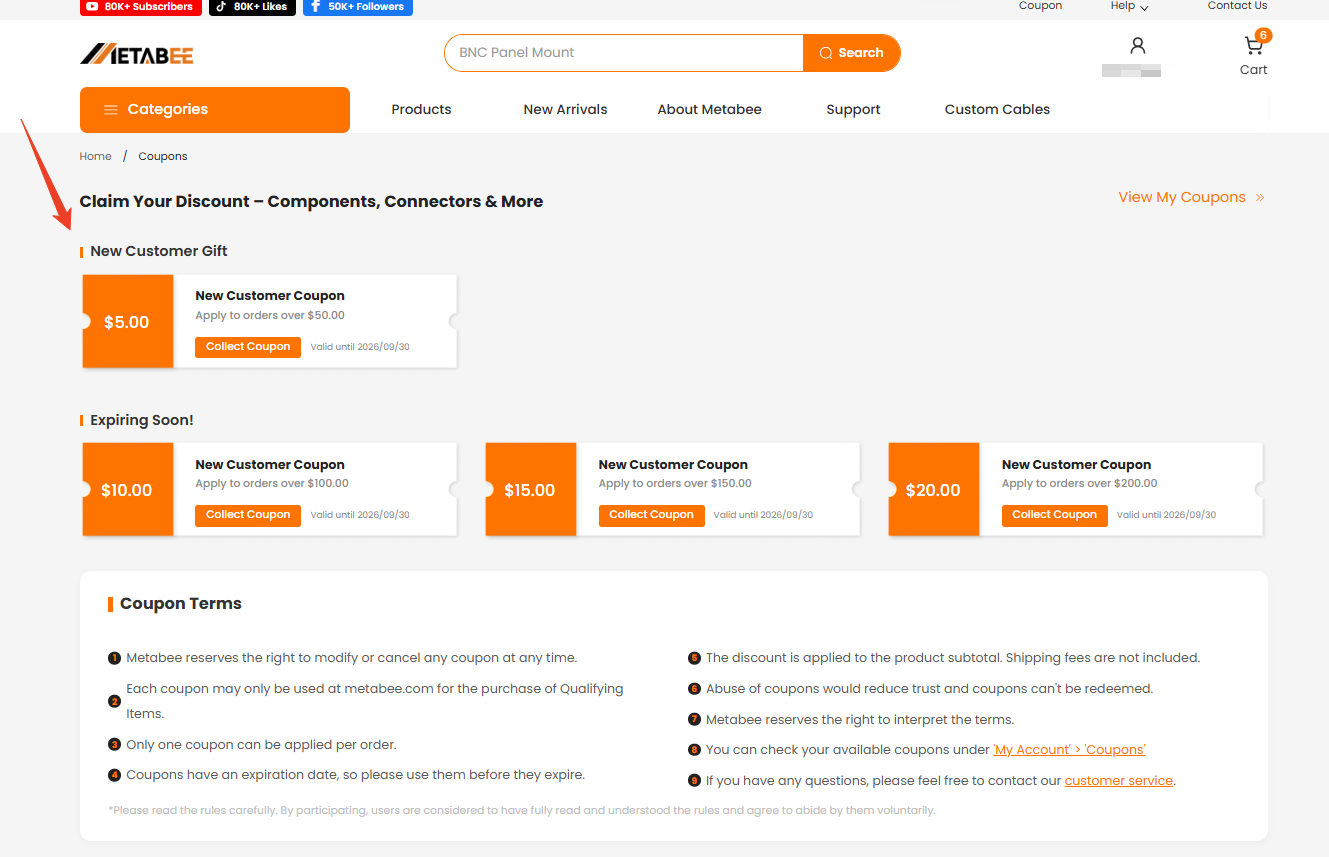
Go to our Coupon Center to claim the coupons you want.
Each coupon will show its value, validity period, and minimum order amount (if any).
Tip: Make sure to log in to your account before claiming the coupon.
2. Add Items to Your Cart
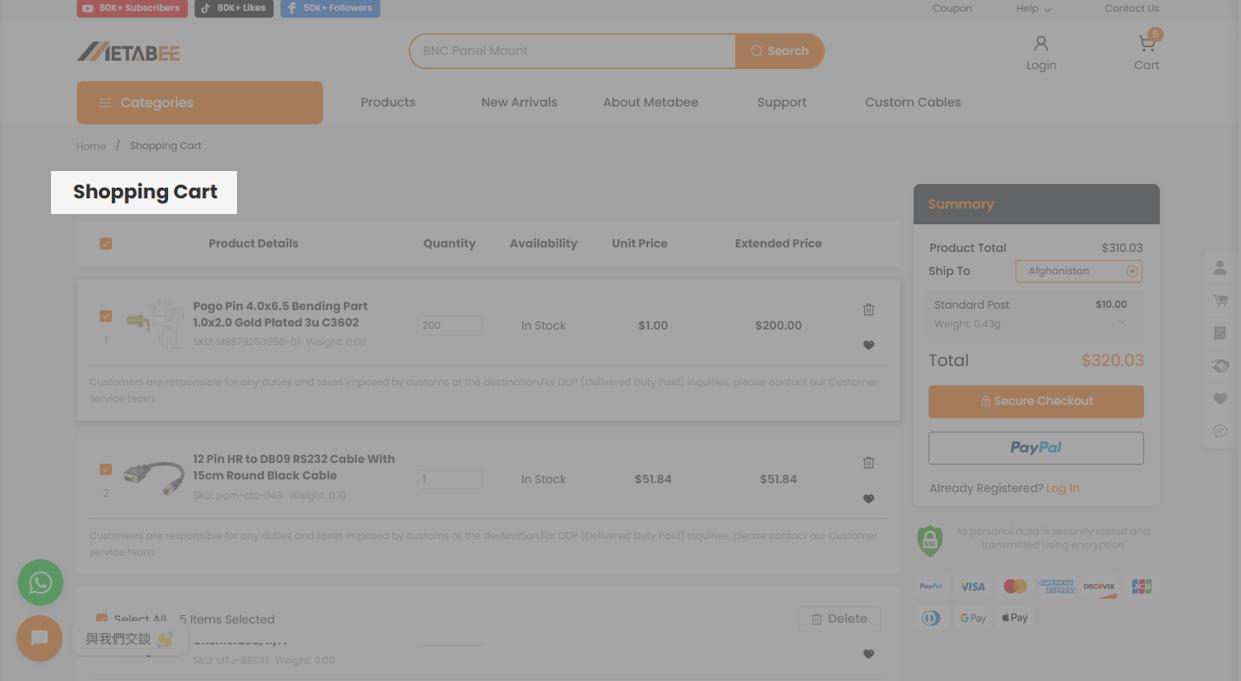
Add your favorite products to the shopping cart.
Make sure your order total meets the coupon’s usage requirement.
3. Automatic Application at Checkout
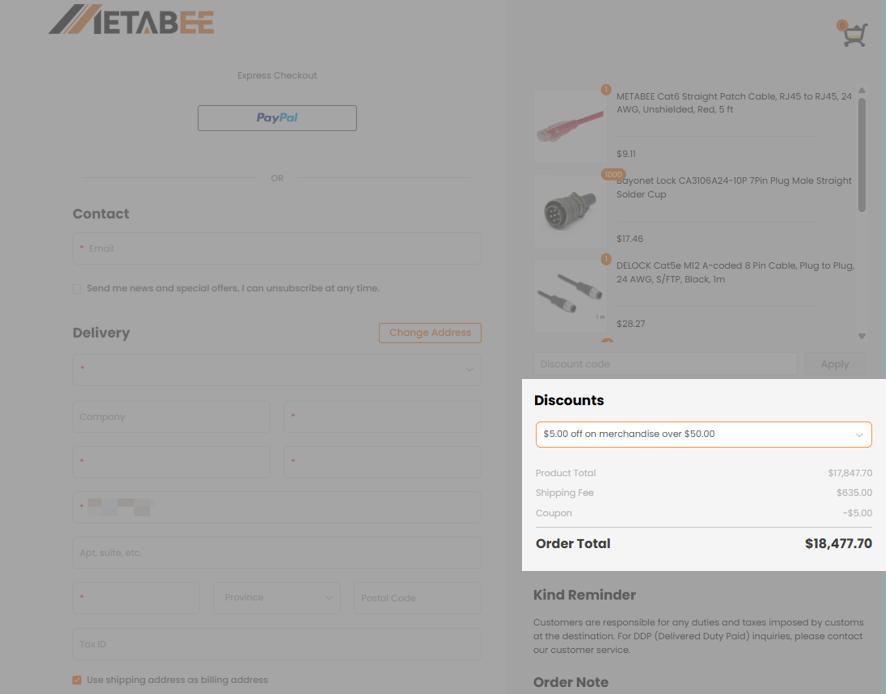
When your order meets the condition:
You’ll see the discount amount deducted from your order total immediately.
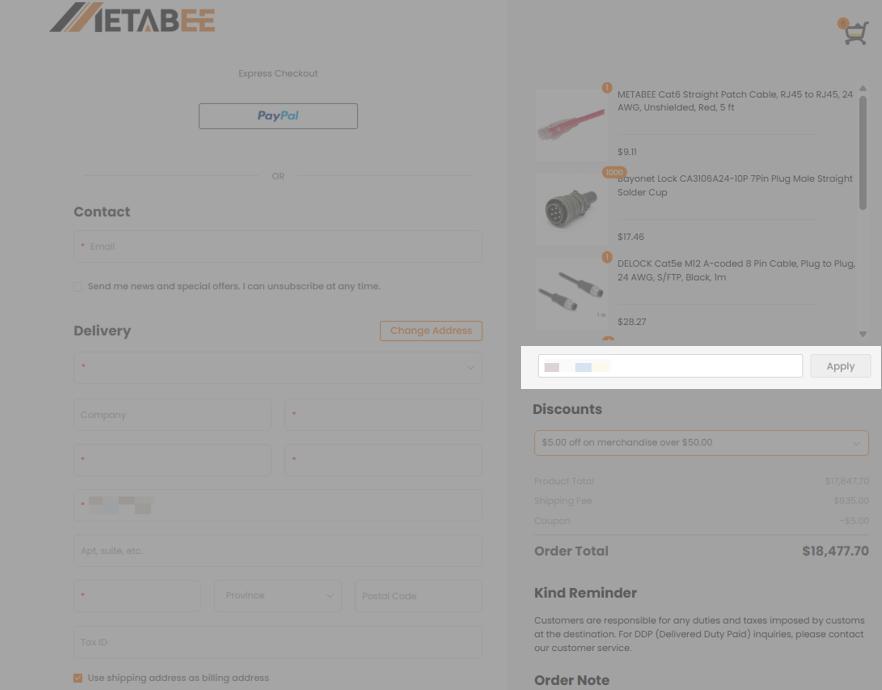
P.S.You can also manually enter or paste a coupon code in the coupon box and click “Apply” to use it.
4. Review and Complete Your Order
Confirm your order details to complete your purchase.
Your savings will be shown in the final payment summary.
Notice
1. Coupons have no cash value and do not provide refunds or replacements.
2. Coupons cannot be reused. But if you apply for a coupon and cancel/delete your order before payment, the coupon will be available for future orders.
3. Coupons cannot be used separately, so you need to ensure that the order value equals or exceeds the value of the coupon.
Common reasons include:
If you believe your coupon should still be valid, please contact our customer service at support@metabee.com.
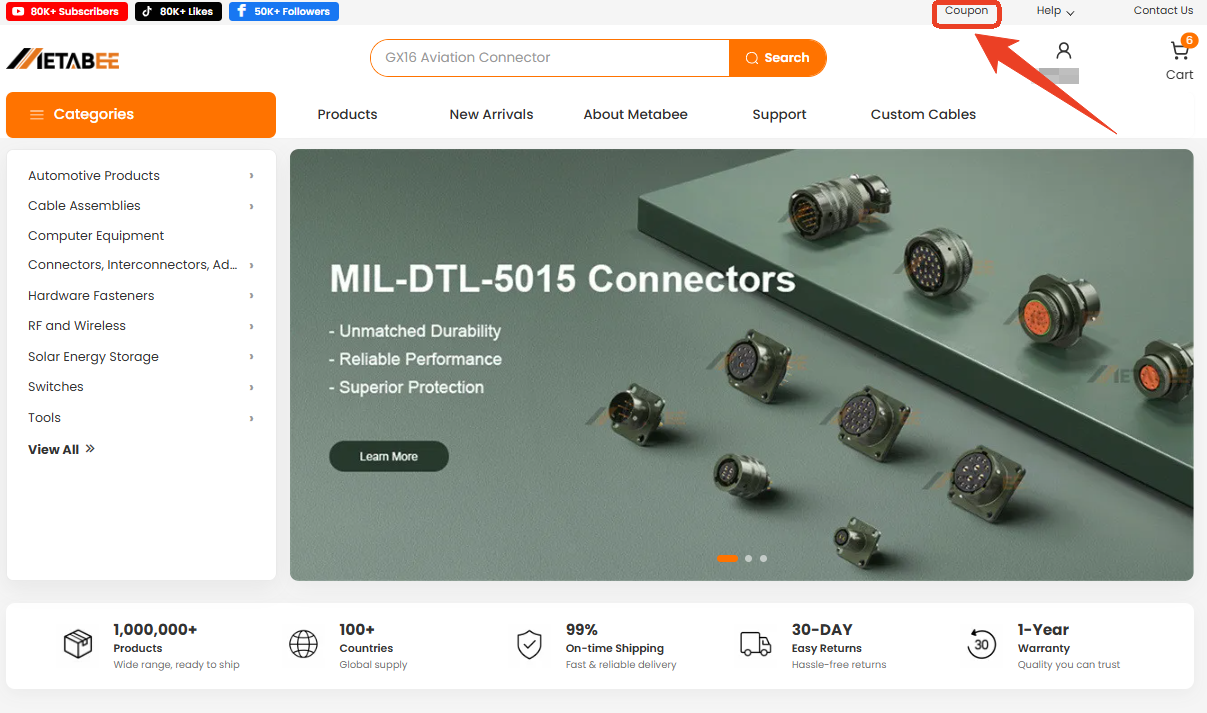
Step 1: Click the "Coupon" which is placed at the top of the homepage.
Step 2: You will be led to the page as shown below, then collect your coupons before the expiration date.
Note:
l Any further questions, please contact support by email [email protected]